How to Use Claude Cowork for Technical Sales



Claude Cowork has completely changed the way sales teams handle prospecting and outreach, but it’s missing something important: your business context. Without understanding your market, ICP, and “golden personas,” Cowork’s effectiveness is limited.
The new Onfire connector for Cowork, built on the Onfire MCP server, changes that. This article breaks down how the Onfire connector gives Cowork the context it’s been missing, and shares 7 prompts you can use for technical sales today.
Key Takeaways
- Claude Cowork is an agentic app that can run a full prospecting workflow from end to end, planning the steps, doing the research, and drafting outreach, rather than answering one question at a time.
- On its own, Cowork can only work from publicly available data, which is rarely enough to sell software infrastructure.
- The Onfire connector, built on the Onfire MCP server, gives Cowork the context it's missing: accurate technographics, deanonymized community signals, champion profiles, and your own first-party data, all tuned to your ICP.
- Get the most out of Cowork by appointing a RevOps owner, formalizing your playbook into Skills, and upskilling your team.
- The article includes seven prompts you can run today, spanning account research, call prep, champion tracking, multi-threading stalled deals, conference targeting, inbound triage, and competitive displacement.
What Claude Cowork Is & Why it Matters for GTM
Claude Cowork is Anthropic's agentic app for knowledge work. It's agentic in the sense that you can hand it a multi-step project instead of a single question, and it will plan the steps, pull in the tools and data it needs, do the work, and check in with you as it goes. Unlike the Claude chatbot, it reads and writes files on your device, using them to build spreadsheets, draft sequences, and chain its actions together into one task rather than making you drive each step by hand.
If you’re spending most of your time on account research and prospecting, it should immediately be clear that Cowork is promising. Building one good account list means pulling firmographics, cross-referencing a tech stack, finding the person who actually owns your category, checking the CRM for prior conversations, and only then writing something worth sending. Multiply that across fifty accounts and most of your week is gone. Cowork, on the other hand, can run the whole chain for you from front to back while you make your coffee.
However, while Cowork excels at orchestrating research processes, it can’t generate data for you beyond what’s findable via search engines. While publicly available firmographics and job postings might be enough in some B2B verticals, you need to go a few levels deeper to sell software infrastructure. And that’s what the Onfire connector, built on the Onfire MCP server, does.
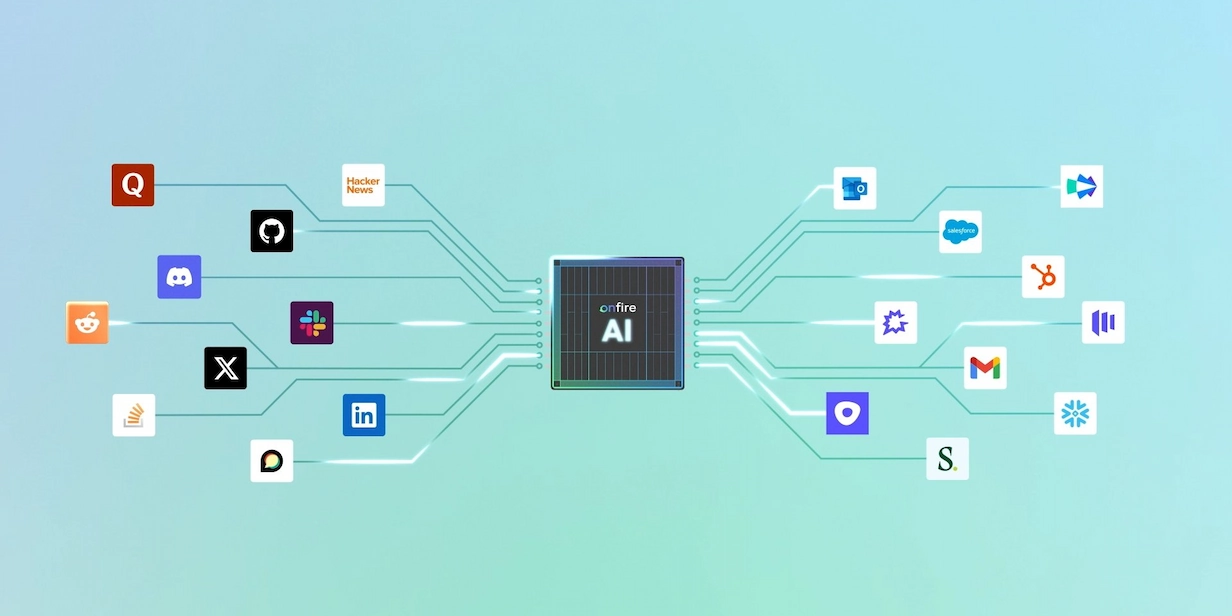
Onfire already has the business context you need in order to reach the engineer who owns the decision while they’re in-market. The Onfire connector serves all that information to Cowork so you can get rich business context in the orchestration layer you’re already comfortable with.
Best Practices for Using Claude Cowork in Technical Sales
If you’re already familiar with Cowork, you know that it has an impressive array of capabilities. To get the most out of it, we’d recommend following these best practices:
Appoint a RevOps owner
Unlike Claude Code, Cowork is expressly designed for non-technical users. However, a RevOps engineer can help your GTM team by deciding which connectors are used, what shared workflows are recommended, and how prompts and Skills adapt as your motion changes.
Codify your playbook as Agent Skills
Instead of having each rep write prompts from scratch, package your messaging and guardrails as Agent Skills. That way, everyone will work from the same playbook without reinventing the wheel.
Start small
Your GTM team will only use tools they trust, so it’s a good idea to start with a few narrowly defined workflows (like account research or call prep), verify they work, and then add on more complex tasks like multi-threading and prioritization.
Upskill your entire team
Once you have your processes and Skills in place, it’s time to make sure every BDR and AE can run your core workflows. Some will likely develop their own favorite prompts and Skills, so you may want to set up a shared library that they can contribute to.
Give Cowork Context with the Onfire Connector
If you’re already using Cowork and want to stick with one workflow, the Onfire connector serves your business context into your flow. By using Onfire’s ICP-tuned data as Cowork’s intelligence layer, you get access to:
- Technographics, firmographics, and hiring trends
- Your full conversation history
- Potential champions, including LinkedIn accounts, professional history, inferred interests and challenges
- Warm intro suggestions
- Community discussions in Slack, Reddit, and tech forums
- Open source engagement traced back to target accounts
- Accurate contact info pulled from multiple sources
Your BDRs and SDRs can then take this information and run with it, eliminating the vast majority of their manual prospecting work and freeing up far more time for selling.
7 Technical Sales Use Cases for Claude Cowork
Curious to see what that might look like in practice? These are seven real prompts you can use with Cowork that the Onfire MCP server enables:
1. Getting into a named target account
This deep-dive would typically take a BDR a few hours to assemble before approaching a strategic account. The output comes with the underlying evidence attached, so you can see which GitHub contribution or community thread points to a tool being in production, instead of taking the summary on faith.
“Research [target account] for me. Tell me what they're running and the evidence for it, map the people who'd be involved in buying [your category], surface any current initiative or pain that makes now the right time to reach out, and recommend the best entry point and the person to start with.”
2. Pre-call account brief
With the Onfire connector, you can handoff call prep the night before rather than in the ten minutes beforehand. It combines who's on the invite, the account's stack, recent activity, and your CRM history into a single brief.
“Build me a one-page brief for my call with [account] tomorrow: who's on the invite and what they own, the tools they're running, recent community or GitHub activity tied to the account, our prior touches from the CRM, and three talking points based on what they're likely struggling with.”
3. Following a champion to a new company:
When a champion changes jobs, it creates risk in the account they left, but it also gives you an opening in the one they joined. This prompt uses Onfire's hiring signals tied back to named people, to catch moves a public data search would miss.
“Tell me which champions from my closed-won and active accounts changed companies in the last quarter, where they landed, whether the new company is ICP-fit, and draft a re-intro for each.”
4. Multi-threading a stalled deal
For an active deal that's gone quiet on a single contact, this maps the rest of the buying group and what each person cares about so you can bring in another thread before the deal goes cold.
“My deal at [account] has stalled with [contact]. Map the other people who'd weigh in on an AppSec purchase like this, tell me what each of them cares about based on their activity, and suggest who to bring in and how to reach them.”
5. Conference targeting
This prompt builds an event target list from who's actually attending and showing relevant intent, rather than working the floor at random.
“Pull a list of ICP-fit prospects attending [event], prioritize the ones showing intent or session interest relevant to [product], and draft a short message to book meetings before the event.”
6. Inbound triage
This prompt sorts a batch of inbound by real ICP fit and intent so reps work the few leads worth a call rather than the full list.
“Take this week's inbound leads, enrich each with Onfire data, flag which are real ICP fits showing genuine intent versus low-quality signups, and tell me the five worth calling today.”
7. Competitive displacement
Finds accounts running an incumbent you tend to replace and surfaces the ones showing friction with it, so outreach is timed to dissatisfaction rather than sent across the whole segment. The friction signals come from Onfire’s insight into technical community activity.
“Find accounts using [incumbent tool, e.g. Splunk] that are showing friction in technical communities, identify who owns that decision, and draft outreach that leads with how we handle [specific pain].”
Get Started with Claude Cowork + Onfire
If your BDR and SDR teams are bogged down with manual research, it’s time to try something new. We’d love to show you what your GTM motion looks like when you have precise, ICP-relevant data fed into the agentic workflow of your choice. Grab a call with Onfire.
FAQs
What is the Onfire MCP server?
The Onfire MCP server exposes Onfire's data and capabilities through the MCP (Model Context Protocol) standard, so an MCP-compatible app like Claude Cowork can pull account technographics, intent signals, champion profiles, and contact data directly into its workflows. The Onfire connector for Cowork is built on it.
How do I connect Onfire to Claude Cowork?
You add the Onfire connector inside Cowork and authenticate with your Onfire account. Once it's connected, Onfire's data is available to any workflow you run, so you can ask Cowork to research accounts, prioritize leads, or draft outreach using your Onfire intelligence without leaving the app. Setup takes minutes and doesn't require a separate integration project.
Is my CRM and first-party data kept private?
Yes. When you connect your CRM and other first-party data, Onfire uses it only for your account. It is never shared with other customers or used as a signal in anyone else's workflows. Onfire combines your data with its third-party signals to sharpen targeting for your team, and the enrichment runs on a per-customer basis.
Can't I just point ChatGPT at the web and do this myself?
For some B2B motions, maybe. But technical buyers leave little useful trace on the open web. General assistant can't reach deep technographics or tie pseudonymous activity back to a named person at a named account. Onfire supplies that data and Cowork acts on it.
Isn't this just an AI SDR?
No. AI SDRs automate sending outreach, usually on the same public data everyone else uses, so they scale outreach to the wrong people faster. Cowork with Onfire changes the input: it runs research and prioritization on accurate technographics and deanonymized community signals, then hands a rep the prioritized, evidence-backed result. A person still owns the relationship and the send.
.webp)


%20(1).webp)
















































.webp)