How to Calculate Tokens & Costs of AI in GTM



If you’ve ever wondered about the token spend of a new AI-powered workflow, our new AI GTM Calculator is for you. Here’s how you can use it to discover the true cost of an AI-enabled GTM team, and how Onfire can help you minimize your token spend.
Why AI GTM is Difficult to Budget
Seats are predictable, but tokens are not. If you have 120 reps selling to accounts with 30+ prospects, you know how much Salesforce is going to cost. What about your Claude spend?
Token economics get tricky so fast in part because so many workflows are open-ended. If you’re asking an AI prospecting tool to do account research for you, there’s no way of knowing how much context the agent will decide to pull in. And with each model update, the calculation changes.
Of course, AI pricing is based on more than just the models you use. Providers have various “effort” levels that affect results, and your bill may be based on a subscription or on API plans. Multiply each choice by variables like the number of accounts per run and the frequency with which reps run workflows, and you’ve got a forecasting nightmare on your hands.
How to Use the AI GTM Calculator
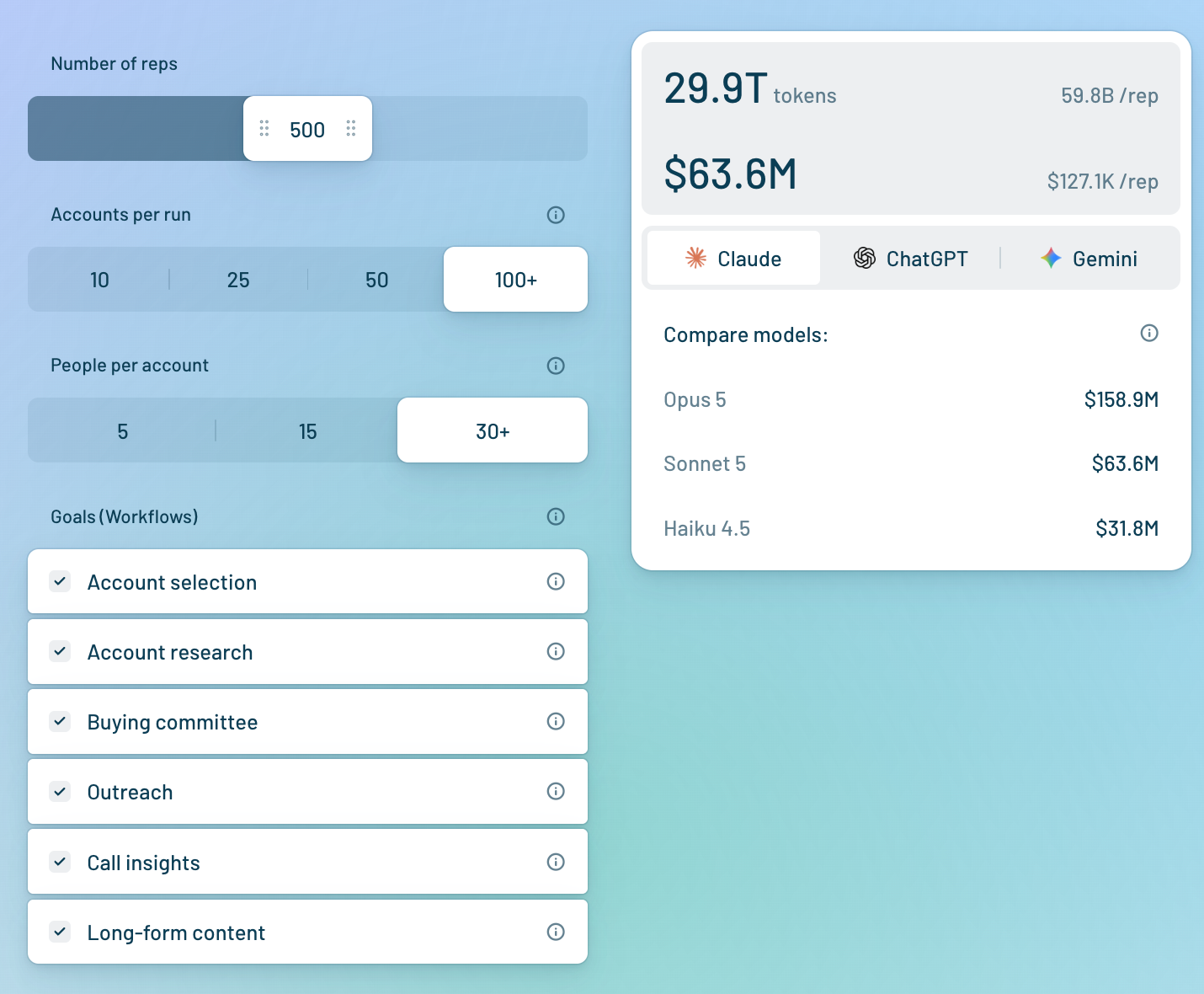
That’s why we built the AI GTM calculator to cover the main cost factors, including different types of workflows, thinking level, and people per account. It then takes the way you configure the cost inputs and calculates the likely number of tokens you use, correlating that to the overall spend on different Claude, ChatGPT, and Gemini models.
>> Calculate your AI costs in <2 minutes (free and ungated)
Main cost factors
Based on our experience building an AI-native revenue intelligence platform, here are the main cost factors:
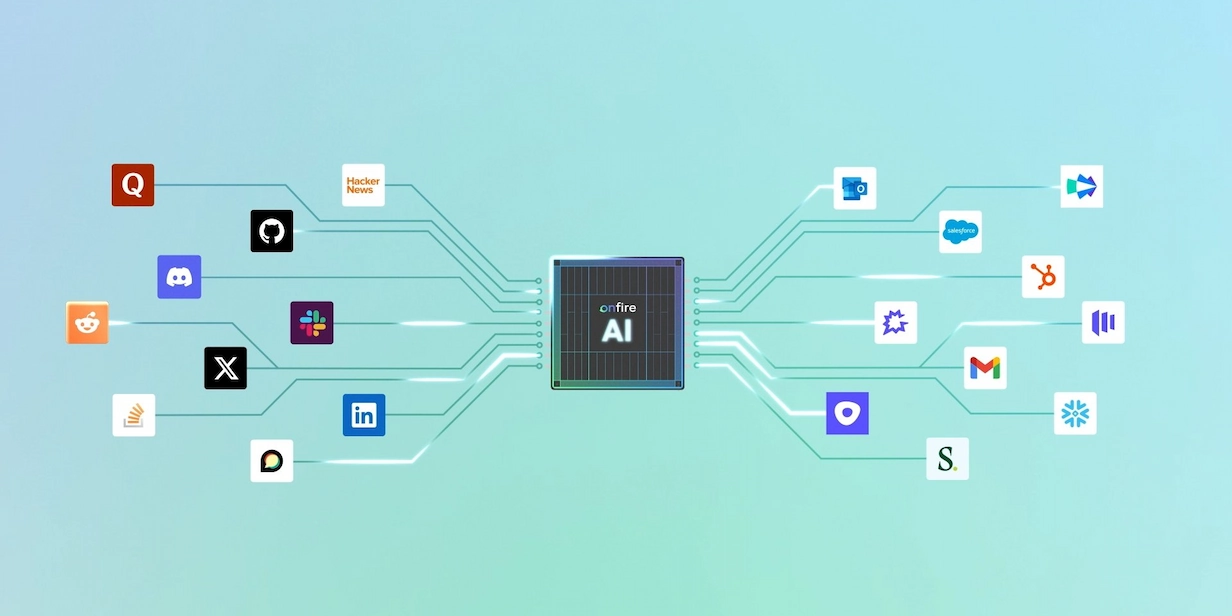
- Context: If you’re prospecting, your tool can draw in an almost unlimited amount of context, including your CRM history and call transcripts, job postings, funding news, and prospects’ activities on Discord, Slack, and tech events. The more context, the better the intelligence, but that comes at the cost of more tokens.
- Model: In our calculator, each of the flagship models offered by Claude, ChatGPT, and Gemini costs at least 2x as much as their next-best model. Each also offers a lightweight model that runs from 6x-20x cheaper than the flagship version.
- Task: If all you’re doing is automating outreach, all the AI will do for you is generate text. If you’re asking it to research, that will require “reasoning loops” that burn tokens fast to pinpoint the people you should reach out to.
4 Tips for Reducing Your AI GTM Costs
Luckily, each of the cost factors above presents an opportunity to save without reducing the value of your research and prospecting workflows.
1. Use traditional automation where you don’t need ‘agentic’ reasoning
Open-ended, high-scale reasoning tasks are the most difficult part of any SDR’s job, and that’s why they’re perfect for AI. However, plenty of low-level tasks can be done by traditional tools. For instance, email sequencing worked just fine before AI, and most CRMs now auto-fill firmographic data. Whenever possible, lean on traditional automation so you save your tokens for the tasks only AI can handle.
2. Don’t go for the biggest and shiniest model for each task
After limiting your use of AI to things it’s truly necessary for, apply that same logic to your use of AI models. Opus 5, GPT-5.6 Sol, and Gemini 3.1 Pro are all impressive, but you don’t need a sledgehammer to crack a nut. Identify all the workflows that lite models can easily handle and use them as much as possible. This alone can shrink your token spend by a factor of 3.
3. Keep context windows small (this also improves output)
After minimizing your use of expensive AI models, look to minimize the amount of information your models churn through as they complete GTM tasks for you. You can do so by limiting the “context window” on tasks whenever possible. The context window is measured in tokens, and it functions as a sort of short-term working memory for your AI.
Typically, it will include your current prompt, your conversation history, your system instructions, attached data (including web search results), and the AI’s response. Of course, for some open-ended tasks, you’ll need a very extensive context window. Yet for others, you can limit the context window to help the AI focus on what matters. You’ll find that just like humans, AI works faster when you limit context.
4. Monitor usage and costs
Monitoring should be a basic part of every AI-enabled workflow. Essentially, if you don’t know how much you’re spending, you can’t hope to reduce your spend. By regularly monitoring usage, you can identify the tasks that are costing you the most and focus on optimizing those so you get real value from your investment.
How Onfire Minimizes Your Token Spend
Account research and prospecting are among the most complex, open-ended tasks that revenue teams are handing off to AI agents right now, and it’s easy to see why: no one wants to make 100 separate searches to figure out if a single account uses an observability platform. Yet the token economics are brutal, with costs per rep souring past $50,000 for research-intensive workflows.
This is where Onfire comes in. By feeding your GTM AI the revenue intelligence needed for effective outreach, it significantly reduces your token spend. After all, when your agent already has a complete picture of each account, they don’t need to search. Instead, they simply draw on Onfire’s insights through the MCP server and move on to the next task.
Forecast Your AI GTM Spend with the Calculator
As you evaluate your next AI-powered GTM tools, don’t make your decision blind. Use our AI GTM Calculator to discover your likely spend so you know what’s coming.
FAQ
How do you calculate AI agent token costs for a sales team?
We integrated a number of cost factors into the AI GTM Calculator, including: workflow type, number of reps, accounts per run, and “thinking level.” To get your calculation, simply select the options that apply to you and you’ll see the estimates for each of the major models from Claude, ChatGPT, and Gemini.
Why do AI agents use far more tokens than a chatbot?
A chatbot answers once, while an agent works in loops: it plans, calls a tool, reads the result, decides what to do next, and repeats. Every loop resends everything that came before, so context compounds with each step. An agent that pulls in a CRM record, three job postings, and a funding announcement is re-reading all of it on every subsequent turn. Add reasoning tokens, which bill at output rates, and a single account research run can cost more than a hundred chat messages.
Which AI model is cheapest for running GTM agents?
Every major provider offers a lightweight model that runs 6x to 20x cheaper than its flagship, and for most GTM work those should be your default. However, note that cheapest per token isn't the same as cheapest per task. A weaker model that loops three extra times, pulls in more context than it needs, or produces work a rep has to redo can end up costing more than a capable model that gets it right the first time. Route by task instead of picking one winner: lite models for extraction, summarizing, and formatting, stronger models for open-ended research and prioritization.
What is a token and how is token pricing calculated?
A token is a chunk of text, roughly four characters or three-quarters of a word in English. Models read and write in tokens, and providers price them per million, with separate rates for input (what you send) and output (what the model generates). Output is the expensive side. Your bill is input tokens × input rate plus output tokens × output rate, summed across every call your workflows make. Most providers also discount cached input, so repeated system prompts and reference documents can cost less on later runs.
How can you reduce AI agent costs without cutting output?
There are 4 ways to reduce AI GTM costs without impacting output: First, use traditional automation for anything that doesn't need reasoning, like sequencing and firmographic enrichment. Then, default to lite models and reserve flagships for the tasks that genuinely need them. Next, trim context so the model reads what's relevant rather than everything available, which tends to improve quality as well as cost. Finally, monitor spend per workflow, because you can't optimize what you aren't measuring. Beyond those, caching repeated prompts and capping how many tool calls an agent can make per run will take you further.
.webp)







%20(1).webp)












































.webp)