How to Choose a Common Room Alternative, Based on our Lessons Building One



On July 2, 2026, Zoom announced that it’s acquiring Common Room, which will become part of Zoom Revenue Accelerator. Because new ownership leads to a new roadmap (and a new strategic focus), many teams are reassessing the role Common Room plays in their stack.
Since we’ve already worked with many companies who want to replace tools like Common Room, we’ll share how they shift from signal-based workflows to agentic GTM.
Key Takeaways
- New ownership, new roadmap. Zoom's acquisition of Common Room (announced July 2, 2026) likely means a shift from product innovation toward integration with Zoom Revenue Accelerator, and possibly a move away from Common Room's technical vertical focus.
- Signals aren't the same as answers. Common Room surfaces engagement like posts, signups, and job changes, but your team still has to figure out which signals matter, who the real champion is, and how to act on it.
- Onfire fills the gap signals leave behind. It names the likely champion with evidence attached and comes pre-tuned to your ICP, so your reps can stop researching and pick up the phone.
- You can test before you commit. Piloting Onfire alongside Common Room on one workflow, then comparing results against accounts you already know, is a lower risk way to validate the switch, especially ahead of a renewal.
Why Teams Are Reassessing Common Room
Common Room is a capable product, but its acquisition by Zoom has led many to worry about its future. For instance, the platform’s mid-term focus is likely to shift from innovation to integration with the rest of Zoom Revenue Accelerator. And in the long run, large enterprises like Zoom tend to move slower and take fewer risks, which could impact Common Room’s ability to adapt to changing buyer behavior.
Teams selling complex software such as cybersecurity, data, or AI solutions may have an additional worry. Until now, Common Room has been focused on technical verticals. Zoom, however, is used by far more than just technical teams. If Common Room is set to be the signals layer for Zoom Revenue Accelerator, it seems likely that it will shift towards broad horizontal coverage of every industry and company size to better reflect the “average” Zoom buyer.
The problem is that horizontal revenue intelligence has rarely worked for finding technical buyers. Solutions like Common Room and Onfire exist because technical buyers act differently than general B2B buyers, sticking to industry-relevant forums and events instead of reading landing pages and whitepapers. Without a stack built to track that distinctive behavior, GTM teams are often left with vague, imprecise intel.
Enduring issues
Besides, most software infrastructure teams have already run into Common Room’s limits. While the tool does a decent job of tracking signals, it falls short of providing the full picture of each buyer that you need for effective outreach. That picture includes:
- Your most likely champion: Common Room aggregates prospect engagement such as public posts, product signups, and job changes. But with technical buyers, intent often need to be inferred by aggregating multiple signals from partial data. Common Room signals surface engagement, but identifying the actual champion remains your responsibility.
- Signals tailored to your ICP: Common Room offers first and third-party data, but it’s still up to you to define the segments, choose which signals matter, set up the scoring, and build the workflows. It’s not tailored to your ICP or GTM decisions, so the platform is the same for a company selling security tooling and one selling payroll software.
Filling the Common-Room-Shaped Hole in Your Stack
Common Room has largely grown by siphoning off accounts from legacy providers like ZoomInfo and Apollo for good reason: these traditional GTM data vendors deliver static lists that don’t reflect buying intent for software companies. So if you’re considering a move away from what is now Zoom Revenue Accelerator, you likely don’t want to go back to tools that have outlived their usefulness.
That leaves you with a few different options. Some providers, like Cognism, focus on a particular territory and provide verified phone numbers. Others let you build your own enrichment sequences in-house, so long as you can afford a RevOps engineer (or a team of them). And of course, there’s always the true default: manual research.
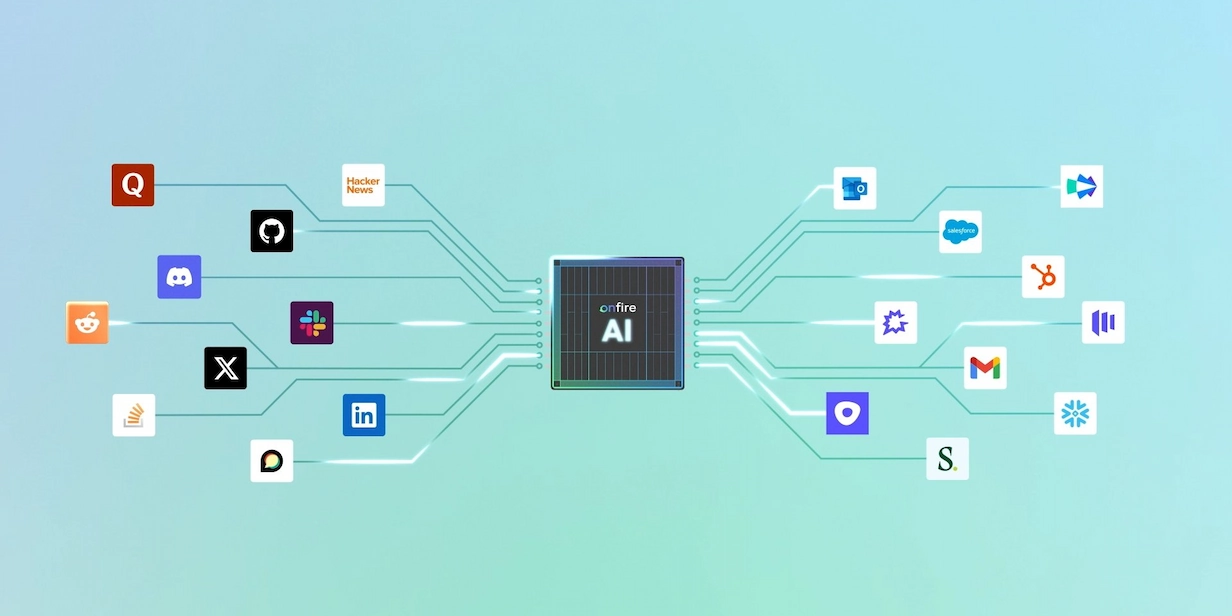
There is, however, one option that not only gives you the signals Common Room is known for, but it also pinpoints your most likely champion, and it comes already fine-tuned to your ICP: Onfire. We built this platform to deliver the full picture GTM teams need in order to find new accounts, prioritize them, and reach out with value, not volume.
Here’s a breakdown of how Onfire compares to Common Room:
Going Beyond Signals for Real Revenue Intelligence with Onfire
While signals are an important part of GTM research, they still leave BDRs with plenty of manual work. With Common Room, the work begins with a feed: alerts and segments someone has to triage. Even with a subscription, your reps still need to figure out which signals matter, which engaged person maps to which account, whether the account is worth a rep's time, and who else at the company should be in the conversation.
Onfire hands you the insight directly: a list of decision-makers at ICP-fit accounts, ranked by intent, alongside the paper trail of evidence that points in that direction. You still use your existing tools, whether that is an agent like Claude or your CRM, but there is far less to assemble by hand. Instead, your agent handles the prospecting busywork and points your reps to the right accounts at the right time, with the right tools and messaging to start the sales process.
Ultimately, your reps don’t want more data, they want something they can act on. That’s why the team at Onfire tunes the platform to each customer’s ICP, which lets you hand more judgment off to an agent. The AI can decide an account is worth surfacing today based on a real read of its stack and current intent, rather than waiting for a static score to cross a threshold you set months ago. You spend less time encoding rules for every scenario and more time telling the agent what a good account looks like, then reviewing what it brings back.
Quick Tips to Get Started
If you’re comparing Common Room and Onfire, here’s what to look for:
- Audit real usage. Which Common Room segments and alerts does the team actually act on, and how much triage does each one need before a rep can use it? Most teams find that a handful of workflows carry the value, and that each of them still ends in manual research.
- Run a side-by-side comparison based on known accounts. Take a sample of accounts you've already confirmed (such as customers or late sales opportunities), and compare what Common Room returns against what Claude, connected to Onfire's MCP, delivers for the same accounts, the same queries, and the same level of manual effort.
- Start with one workflow and one team. Pick a single high-frequency workflow such as account research or call prep, run it with a few reps, and confirm it holds up before widening the scope. Running Onfire alongside Common Room for a cycle lets you move reps over once the results are in.
- Get a demo before you renew. If you sell software infrastructure to technical buyers, your next Common Room renewal is a renewal into a Zoom product. Before you sign, ask what the roadmap looks like after the deal closes, and run the comparison above.
Get a Complete Picture of Your Buyers With Onfire
Onfire goes beyond signals to give your reps everything they need to pick up the phone. To see what it can do for your GTM motion, grab time with the team.
FAQs
Why are teams suddenly looking at alternatives to Common Room?
Zoom announced its acquisition of Common Room on July 2, 2026, folding it into Zoom Revenue Accelerator. New ownership usually means a new roadmap, and the concern is that focus will shift from product innovation to integration with Zoom's suite, and that Common Room's technical-vertical focus broadens out to match Zoom's much wider buyer base.
What's the difference between Common Room and Onfire?
Common Room aggregates engagement signals like posts, signups, and job changes, but your team still has to work out which signals matter, who the real champion is, and how to act. Onfire does that last mile for you by naming the likely champion with evidence attached, and arriving pre-tuned to your ICP instead of a self-serve setup you build from scratch.
Does Onfire work for any company, or just certain ones?
It's built specifically for software infrastructure companies selling to technical buyers in verticals like cybersecurity, data, and AI, rather than broad horizontal coverage across every industry. That's a deliberate contrast to where Common Room's coverage may be headed as part of a much larger, less technical-focused Zoom product.
Do we have to fully switch off Common Room to try Onfire?
No. The suggested approach is to start with one high-frequency workflow, such as account research or call prep, run it with a small group of reps, and compare results against accounts you already know before widening the rollout. You can run both tools side by side for a cycle first.
How does Onfire fit into a rep's existing workflow?
It's designed to plug into tools reps already use, whether that's an agent like Claude connected through Onfire's MCP or a CRM directly. Instead of reps triaging raw signals themselves, they get a ranked list of decision-makers with the supporting evidence already attached.
.webp)





%20(1).webp)


















































.webp)