Competitive Displacement: Our Proven Playbook for Scaling Campaigns



Finding high-intent technical buyers is hard work. Why not let your competitors do that work for you?
At Onfire, we think we’ve just about perfected the art of targeting competitor customers. Here’s our recipe for reliable competitive displacement.
Key Takeaways
- Your competitors have already done the hard part by finding customers with the budget, the need, and an understanding of your category.
- Reaching out to everyone who runs a competitor's product is just spray-and-pray. Run your campaign on triggers like renewal windows, price hikes, acquisitions, and champion changes.
- One signal is a guess so stack triggers to find the accounts where switching is actually on the table.
- Every campaign needs three ingredients: data that shows you both who's running the competitor and when they're ready to move, sharp positioning your reps don't have to improvise, and an offer that makes switching worth the effort.
- Don't rely on a single contact. Multi-thread across users, new leaders, and budget owners so you have allies in the room when the switching conversation happens.
What Is a Competitive Displacement Campaign?
A competitive displacement campaign is a targeted sales and marketing effort aimed at getting a competitor's existing customers to switch to your product. Instead of finding net-new buyers who haven't solved the problem yet, you go after accounts that already pay for a rival solution, which means they've already proven they have budget, need, and awareness of your category.
When Should You Run a Competitive Displacement Campaign?
If you just contact everyone who runs a competitor, you won’t see much improvement vs. a traditional spray-and-pray motion. To avoid burning your reputation (and destroying team morale), you want to run your campaign on a trigger, like a renewal window coming up, a champion leaving, or a new funding round.
Yet these surface-level signals don’t mean much if you don’t already have solid revenue intelligence. If you have insight into your buyers’ deep tech stacks, you know what their engineers gripe about on Discord, and you’ve tracked their job posts for a year, you know what a new market entry might mean for your ability to sell. If you lack that context, you’ll have a hard time figuring out how to prioritize your outreach.
How to Put a Competitor Displacement Campaign Together
Every campaign has three basic ingredients: your data, your product marketing, and your offer.
1/ Start with data
Your data shouldn’t just tell you who is running your competitor’s solution. It also needs to give you insight into the triggers that will help you time your outreach. That means it needs deep technographics to pick up on tech stack changes, champion tracking, and behavioral signals from dev-centric channels like Discord and Slack.
2/ Have strong product marketing collateral
While the data component requires advanced tooling, the product marketing component requires advanced thinking. To capture a competitor’s account, you’ll need to refine your positioning so your sales team can clearly convey the value of your product. This takes time and extensive workshopping, but the result is a short, snappy summary of your differentiation.
Don’t ask your SDRs to come up with something on the spot. After all, there aren’t many Don Drapers out there.
3/ Hone your offer
In some cases, your offer will be as simple as possible: “switch to us because we’re better.” But as we’ve found, some campaigns require additional incentives to switch. For instance, you might want to consider buying out the remainder of the customer’s contract to make the transition easier for them.
How We Run These Campaigns at Onfire
Here’s how we run competitive displacement for our own pipeline (and help our customers run it for theirs):
1. Constantly map out the market into an Account Intelligence Graph
You can’t just build out a list of your competitor’s customers once and file it away. Teams change tools, champions switch jobs, and companies raise rounds and outgrow their stack, often all in the same quarter.
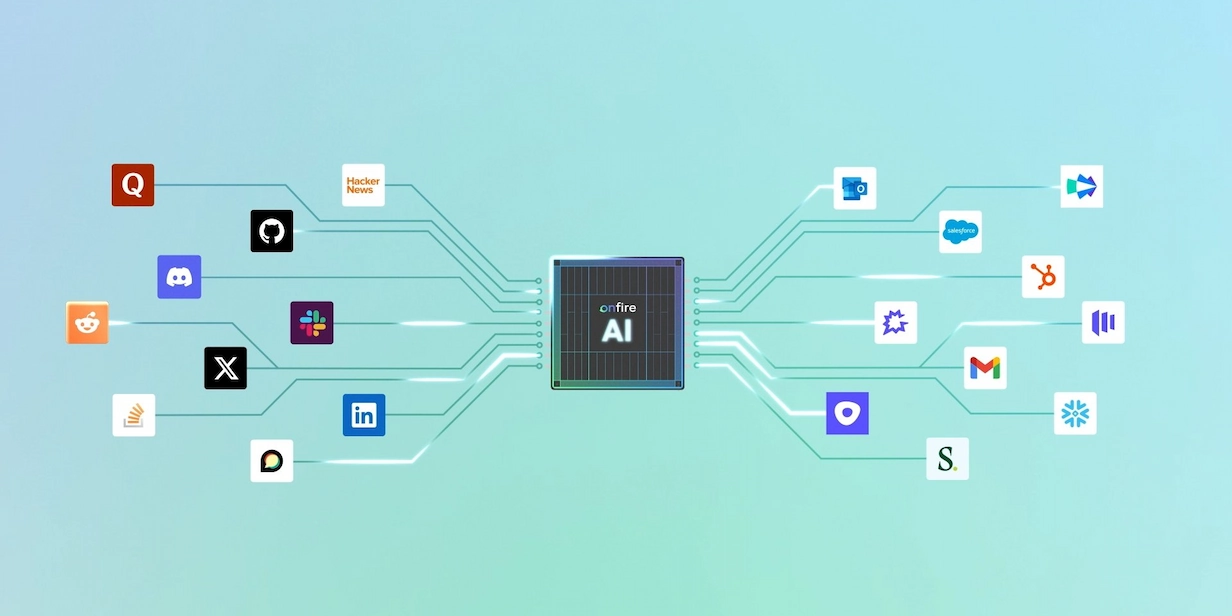
That’s why Onfire customers don’t work from a static list. Instead, we continuously map their market into an Account Intelligence Graph that connects companies, people, tools, and trends in a single place. The premise is simple: you can’t sell effectively unless you have a complete picture of your buyer. That means you need to constantly monitor what your target accounts are doing, including what engineers are saying on social media and dev channels.
But note that every GTM organization should be looking for different signals, based on their particular ICP. That’s why we start by calibrating Onfire to pick up on the data that matters most for each customers’ GTM.
How we fine-tune Onfire for each ICP
For instance, when we worked with a data architecture client, we started from a list of their existing customers. Onfire picked up hundreds of different signals, and we tailored an AI scoring model to pick up on commonalities across these closed-won accounts to prioritize dimensions such as true tech fit, OSS activity, and regulatory mandates. We then compared these patterns to closed-lost accounts to discard signals that don’t actually predict success.
The result of this fine-tuning is a much narrower target list, one that reps can actually focus on for competitive displacement. We’re still mapping the entire industry space for ICP-fit companies, but we’re being much more selective about the accounts we actually reach out to. And that’s where the triggers come in.
2. Use hundreds of signals, not just one, to prioritize and time outreach
Once you have a complete picture of each buyer, you can start timing your outreach. We recommend defining a list of triggers that alert you when an account might be willing to re-evaluate their current contract. Some of the triggers that Onfire follows include:
- Renewal window. This is the single most important one. Most B2B contracts are annual, and the 90–120 days before renewal is when switching is realistic. Outside that window, even an unhappy customer is often locked in.
- Price increase or packaging change. For example, a competitor moves a feature to a higher tier, switches to usage-based pricing, or raises seat costs. This forces the customer to re-justify the spend.
- Acquisition. When a competitor gets bought, customers worry about roadmap changes, price hikes, and support quality. Many start evaluating alternatives "just in case."
- Product sunset or forced migration. For example, "v1 is end-of-life, move to v2." If they have to migrate anyway, you're competing against a migration rather than against staying put.
- Champion leaves. The person who bought and defended the competitor's tool moves on, and the replacement has no attachment to it.
- Tech stack changes. For example, moving to a new cloud or CRM that the competitor integrates poorly with.
- Research. A prospect searches for "[competitor] alternatives" or comparison terms (intent data from G2, Bombora, and similar sources).
- Negative Reviews. Leaving negative reviews or complaining publicly on G2, Reddit, or community forums.
To our knowledge, Onfire is the only tool that gives you insight into all of these different trigger types in one place.
3. Multi-thread through multiple entry points into an account
To displace an incumbent, you probably shouldn’t be going through their champion. That means you need to contact as many people as you can to make the pitch for your product. But to find everyone on a buying committee, you need to be able to resolve vague symbols to concrete individuals. That’s a data science challenge in and of itself.
Onfire resolves the identities of anonymous and pseudonymous online profiles by matching usernames, signup emails, LinkedIn profiles, and other digital footprints. By linking together users on your own site and devs chattering on other forums, Onfire gives revenue teams the granular information they need to contact engineers, leaders, and budget owners at the same time. That way, they have allies in the effort to displace a competitor.
Run Competitive Displacement Campaigns with Onfire
If you want to run a competitive displacement campaign that’s informed by granular insights into each of your accounts, talk to us. Onfire is the comprehensive revenue intelligence tool built specifically to help technical GTM teams focus on what really moves the needle. See
FAQs
1. Is it ethical to target a competitor's customers?
Yes. Competing for customers is how markets work, and your competitor is almost certainly doing the same to you. The line to watch is how you do it. Stick to accurate, verifiable claims about the competitor, never misuse confidential information (like a contract a new hire brought from their old job), and leave the trash talk out of your messaging. If you have to make the competitor look bad to make your product look good, the problem is your positioning.
2. How do I find out which companies use a competitor's product?
Technographic data is the starting point. It picks up tools from website scripts, DNS records, job postings, and public integrations. Review sites, case studies, community discussions, and conference sponsor lists can fill in the gaps. For developer tools, signals from GitHub, Discord, and Slack communities are often more reliable than traditional technographic sources.
3. What if the customer is locked into a long contract?
Then you play the long game. Note the renewal date, keep the account warm with useful content, and build relationships with users and potential champions so you're the obvious alternative when the window opens. If the account is valuable enough, a contract buyout can shorten the wait, but save that for deals where the math clearly works.
4. Should I name the competitor in my outreach?
Usually, yes, but carefully. Something like "Teams running [Competitor] often tell us…" is relevant and honest. Opening with a takedown of their current tool tends to backfire, because it puts the prospect on the defensive about a decision they (or their boss) made. Lead with their problem, not your rival's flaws.
5. How long does a competitive displacement campaign take?
Longer than a standard outbound campaign. Because so much depends on timing, plan in quarters rather than weeks. Some accounts will convert quickly when a trigger fires, but most of the value comes from staying ready for the moments when switching becomes realistic.
6. How do I measure success?
Track the metrics that matter for competitive wins specifically: how many targeted accounts entered the pipeline, your win rate against each competitor, sales cycle length compared to net-new deals, and how many wins came from trigger-based outreach compared to untimed outreach. If triggered accounts don't convert noticeably better, revisit your signals.
.webp)









%20(1).webp)

















































.webp)