Best Developer Intent Platforms for 2026 (with Downloadable Checklists)



It’s hard to find developer intent, which is why most technical GTM teams rely on intent platforms. Yet with nine different types of intent and 39 distinct signals, it can be hard to identify the best fit.
This guide, as well as the free checklist linked at the bottom, lays out everything you need to know about developer intent tooling.
Key Takeaways
- There are 9 types of developer intent signals, and most traditional intent sources miss them.
- Most tools on the market track one signal category well and leave the other eight untouched, leaving you to stitch everything together.
- Identity resolution is another challenge faced by point tools, which lack the broad context needed to tie signals to a concrete individual.
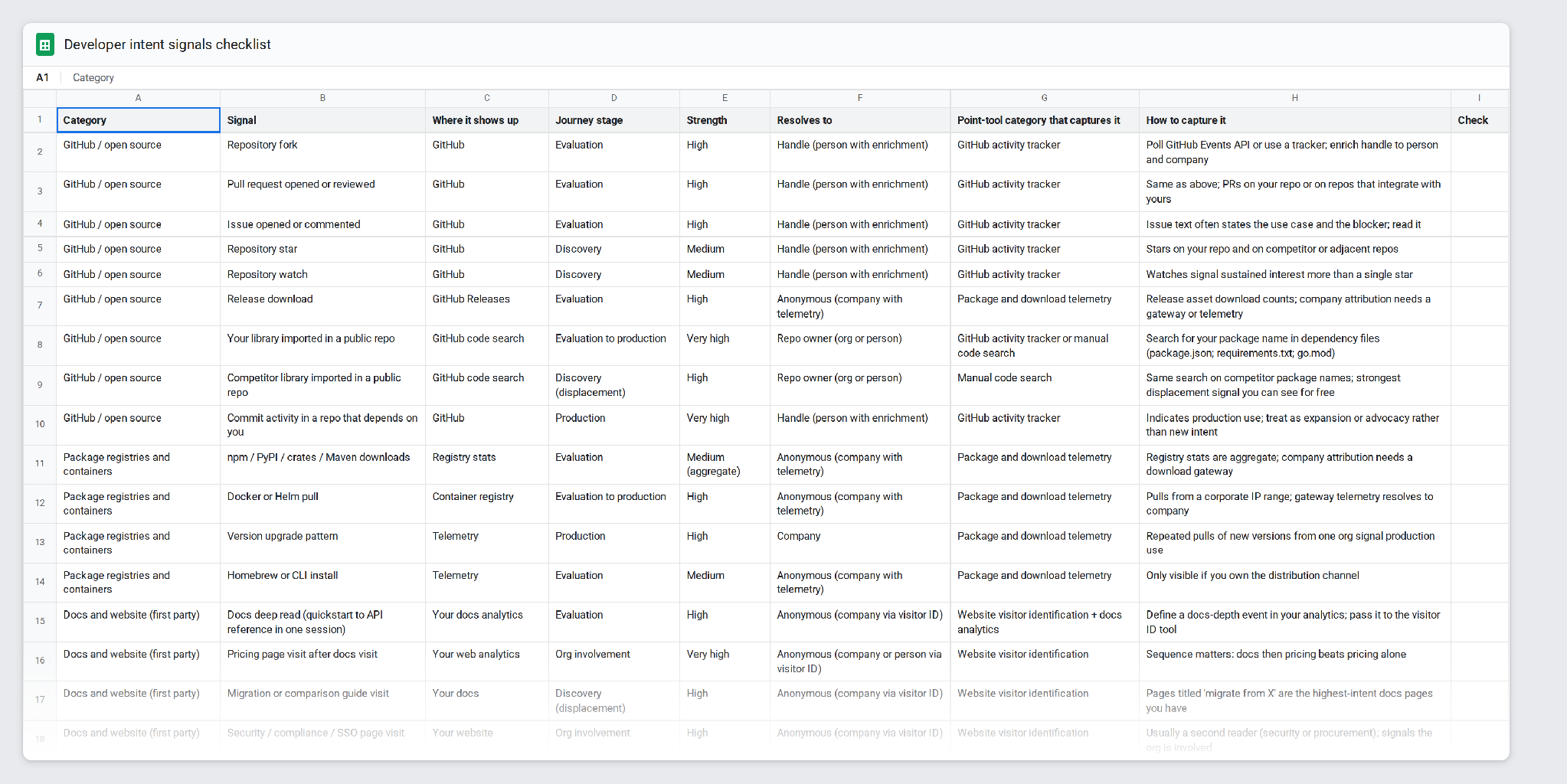
- To see what types of signals to look for, download our checklist, which covers 39 distinct developer signals.
What Is a Developer Intent Platform?
A developer intent platform monitors the places where engineers evaluate software and identifies the accounts (and prospects) who are actively evaluating. Unlike traditional intent platforms, developer intent tools track the places engineers spend their time, like technical docs, GitHub repos, package registries, and online forums. Because legacy intent tooling sticks to publisher networks and software review platforms, it’s good for business buyers but has serious blind spots for technical personas.
Download the Developer Intent Signals Checklists!
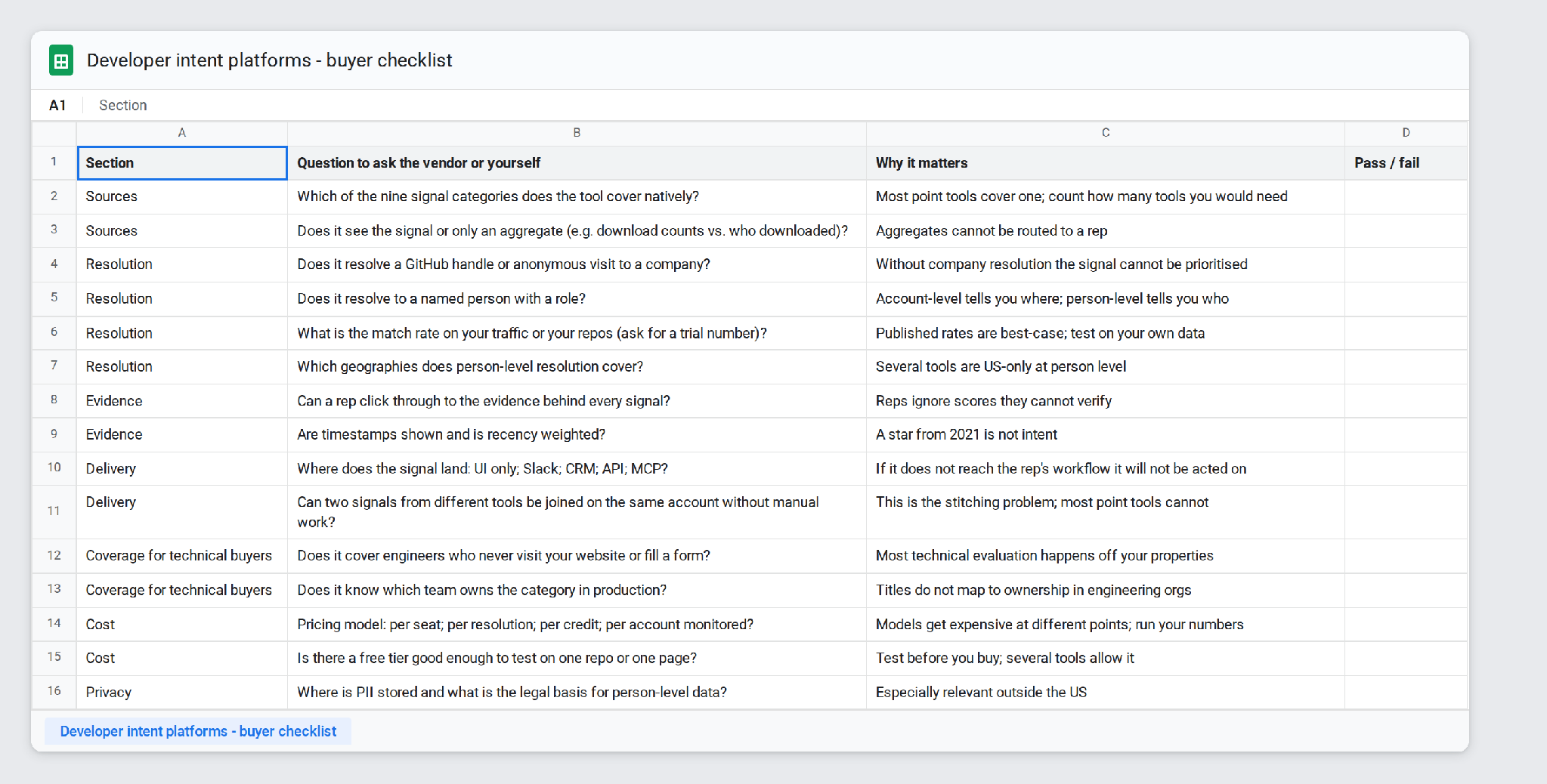
The developer intent signals checklist lists 39 signals across the nine categories, along with where each signal shows up, how strong it is, what it resolves to, and how to capture it. It comes bundled with a 15-question buyer checklist that turns this post's comparison table into questions to ask during a vendor trial.
Buyer checklist - what to look for in a developer intent platform:
Which signals you should be looking for, and where to find them
How to Compare Developer Intent Platforms
When we think about evaluating dev intent tools, it comes down to five factors:
- There are 9 distinct signal types. How well does the tool cover them?
- Does the signal resolve to a pseudonym, an account, or a prospect?
- Can reps click through to the evidence behind the signal, like a fork or job post, so they can reference it in outreach?
- Does the signal arrive in the tool’s own UI, Slack, your CRM, an API, or an MCP server you can connect your AI agent to?
- Is there a free tier, and if so, how generous is it?
Where to Find Developer Intent Signals
Each of these developer signals has its strengths and weaknesses, and each has a point tool or two designed to pick up on it. And a note: we don’t make a point tool, so you won’t find Onfire on this list.
Here’s what you can expect to find if you try to track these signals:
1. GitHub activity
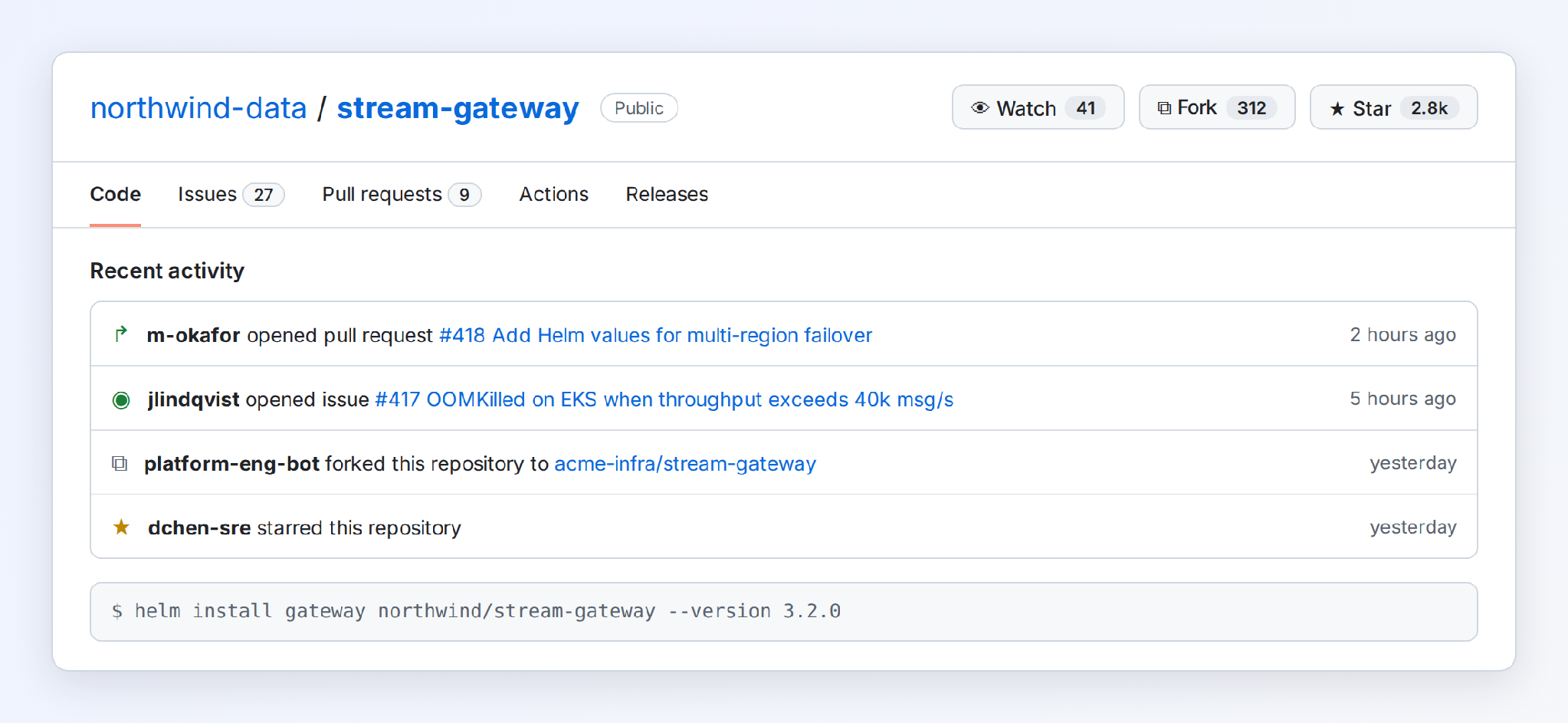
Stars, forks, issues, and PRs on your repos (and those of your competitors) show hard evidence of engineers testing tools in your category. Of those, PRs and issues carry more weight because they show you that someone actually ran the code.
There are two point tools that specialize in GitHub activity. The first, LeadCognition, monitors public repos you select to pick up on more than ten event types, including stars, forks, pull requests, issues, commits and release downloads, and polls GitHub every 15 minutes. It resolves each handle to a LinkedIn profile, company and title, and states around 80% coverage for work emails. It also offers an MCP server.
The free plan includes 50 one-time credits across two repos, and paid plans start at $99 a month. (As of September 2026)
If you want to go the free route, there’s GitHub code search. To use it, simply search for your package name (or a competitor’s) in dependency files such as package.json, requirements.txt, or go.mod to find repos that already depend on it. That way, you get the repo owner, but that could be an org or a person.
2. Package and download telemetry
A Docker pull, npm install, or Helm chart fetch is a strong signal that someone is running your software. If you get repeated pulls from the same company within a few weeks, that typically means that they’re running a proof of concept or early rollout.
The point tool for this signal type is Scarf. It sits in front of your distribution channels, including Docker, Helm, npm, PyPI, Homebrew, Maven and GitHub Releases, and also picks up docs visits and telemetry events. It resolves that traffic to the company behind it. However, it doesn't store personal data, so you won't learn which engineer ran the pull.
This can be an issue if you’re selling enterprise B2B tooling and you’d like to know who of the several-hundred-odd engineers to speak to.
Scarf’s free Starter plan includes 3 company unlocks and 25 runs a month, a three-month data window, API access, and webhooks. Each unlock gives you a month of visibility into a given company.
3. Website visitor identification
Engineers who read your pricing page, comparison pages, or docs leave their IP address behind, and visitor ID tools match that address to a company or a person. For instance, R2B2B identifies individual visitors within the US, and companies globally. The free tier covers company-level ID at a cap of 150 resolutions per month, while prospect-level ID starts at $79 and gets you LinkedIn profile URLs. For work emails and CRM integrations, that jumps to $149.
Leadfeeder is another point tool in this space. It matches visits to companies through IP data, and its free Lite plan provides 7 days of visitor history and the last 100 ID’d companies each month.
However, if people don’t come to your site, these tools can’t tell you anything about them.
4. Docs and product analytics
Your own data can provide the strongest intent signal because it shows you what people are doing with your product. When docs sessions move from your quickstart guide to your API reference, someone creates an API key, or a second signup comes in from the same email domain, you’ve got a clear sign that someone is interested.
Most teams are already collecting these signals in tools like PostHog, Plausible, or Amplitude (or their doc platform’s analytics). However, there are always judgment calls to be made about setting thresholds for what counts as serious evaluation. Moreover, anonymous docs readers stay anonymous, so you need visitor ID or a resolution layer to tie signals to concrete individuals.
5. Community and Q&A monitoring
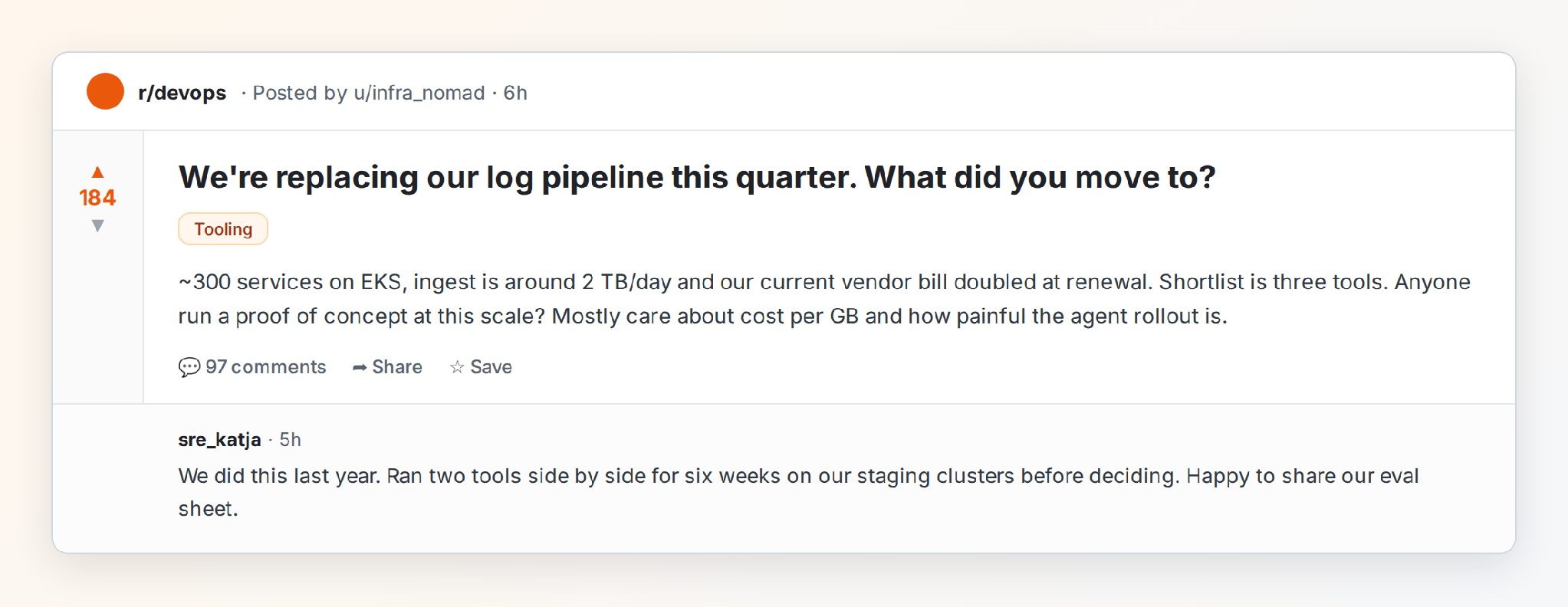
Engineers tend to be active on forums like Reddit, Hacker News, and Discord. Occasionally, you’ll get posts like “we’re replacing X this quarter,” and you need to be able to reply quickly to capitalize on that.
Point tools for this space include F5Bot, which watches Reddit, Hacker News, and Lobsters for keywords and emails you within minutes for free. To get Slack, Discord, RSS, and JSON feeds, you need to pay $50 a month.
Syften is a similar tool with broader coverage, including Reddit, X, Hacker News, the Stack Exchange network, GitHub, YouTube, Slack communities, Dev.to, forums, Bluesky, Mastodon and podcasts. It doesn't cover LinkedIn. After a 14-day trial, plans start at $30 a month, and Slack delivery starts at $50.
Note that neither of these tools will resolve identity beyond a username.
6. Job-posting trackers
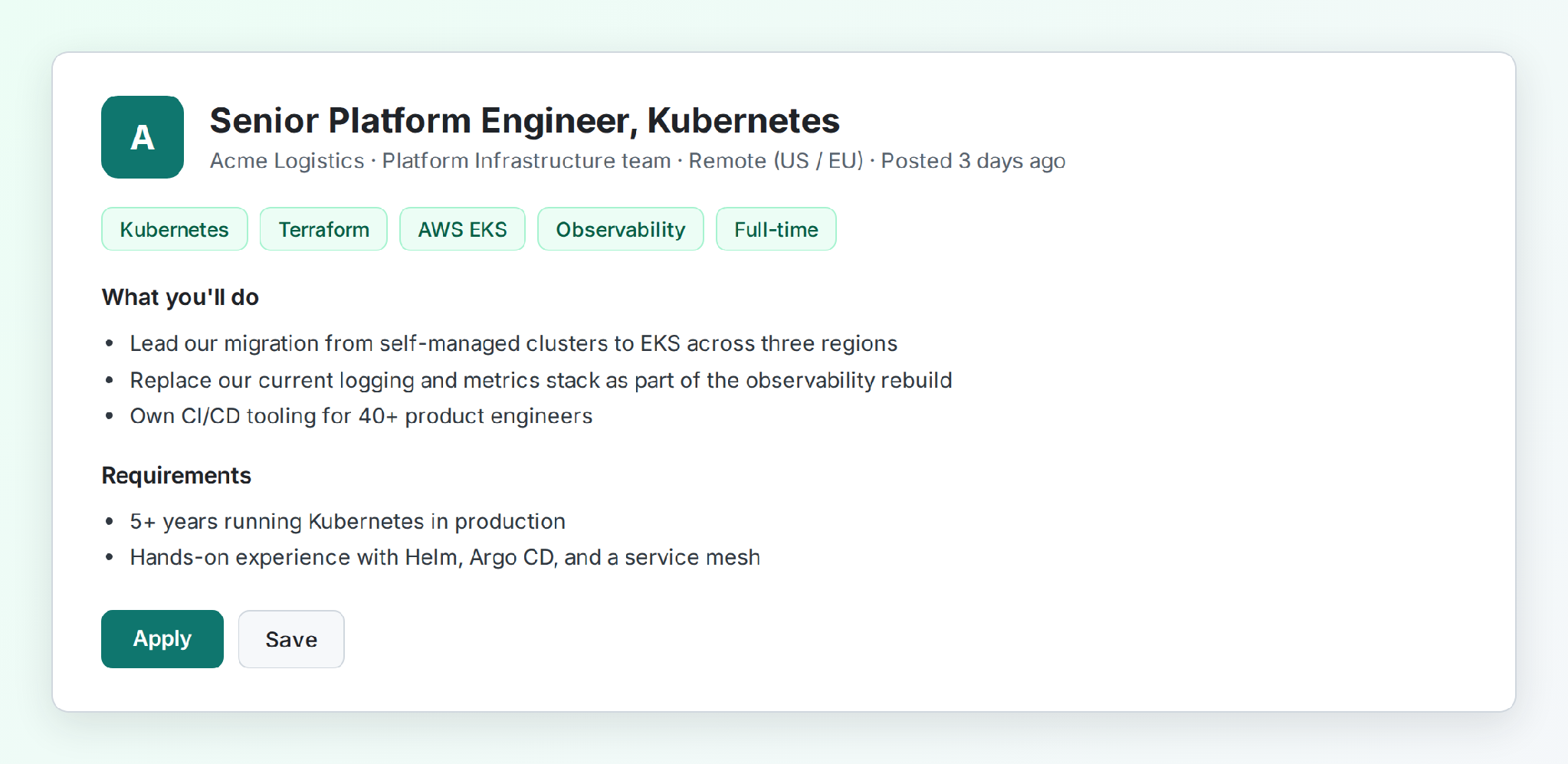
A job post for a platform engineer with Kubernetes and a competitor's product in the requirements tells you what the team runs today and where it's investing. However, teams that aren't hiring, or that list generic requirements, don't show up, and a posting rarely names the person who will own the purchase.
TheirStack indexes postings from career sites, applicant tracking systems and job boards across 195 countries, and you can search it by technology, competitor or role. It resolves to the company and, through the job title and description, to the team that's hiring. The free plan includes 50 company credits and 200 API credits a month, and TheirStack offers an API, webhooks and an MCP server. Paid API plans start at $49 a month.
7. Job-change trackers
When your champion leaves their company, it’s a double-edged sword. On the one hand, you have an opportunity at their next account. On the other hand, you’ve lost an advocate at their current company. That makes them worth tracking.
Champify is a point tool that tracks past customers, champions, and CRM contacts as they change jobs. UserGems does the same, and both resolve identities to a named person at an account. They then push new roles into Salesforce, Slack, and sequencing tools like Outreach and Salesloft. Champify starts at $2,000 a month and runs inside Salesforce, while UserGems starts at $40,000 a year, plus an implementation fee.
8. Event and talk tracking
When people speak about (or attend a talk on) your category at a national or regional event, it shows you they care enough about the problem you solve to devote time and energy to it. But there is no point tool that delivers consistent results for this signal. Instead, reps are left to pull schedules, read talk abstracts, and review YouTube videos to spot both speakers and attendees.
Here’s our guide to sales prospecting at tech events for more.
9. Tech-change signals
DevTools stacks change fast, and you’ll want to stay on top of that change to time your outreach. However, there’s no dedicated point tool for this category because these signals tend to arrive through the other categories. For instance, job posting trackers can catch migrations, as can community monitors.
The challenge is putting it all together when you’re already working a long list of accounts.
How These Tools Compare
The Challenge of Stitching it All Together
The biggest challenge may not be getting your hands on these signals. Rather, it’s stitching it all together. For instance, say that you’re running a GitHub tracker, package telemetry, visitor ID tooling, a job-posting tracker, and a community monitor. Within a few weeks, you’re getting updates about forks of your Helm chart repo, a docs session, a hiring update, a Stack Exchange question, and Docker pulls. How are you going to tie those disparate signals together?
Without proper identity resolution, you can’t. But ID resolution is a huge challenge of its own, and it requires genuine data science expertise (it’s not something you can stitch together in Zapier). If you don’t have it, you’re left guessing.
What Makes Onfire Different
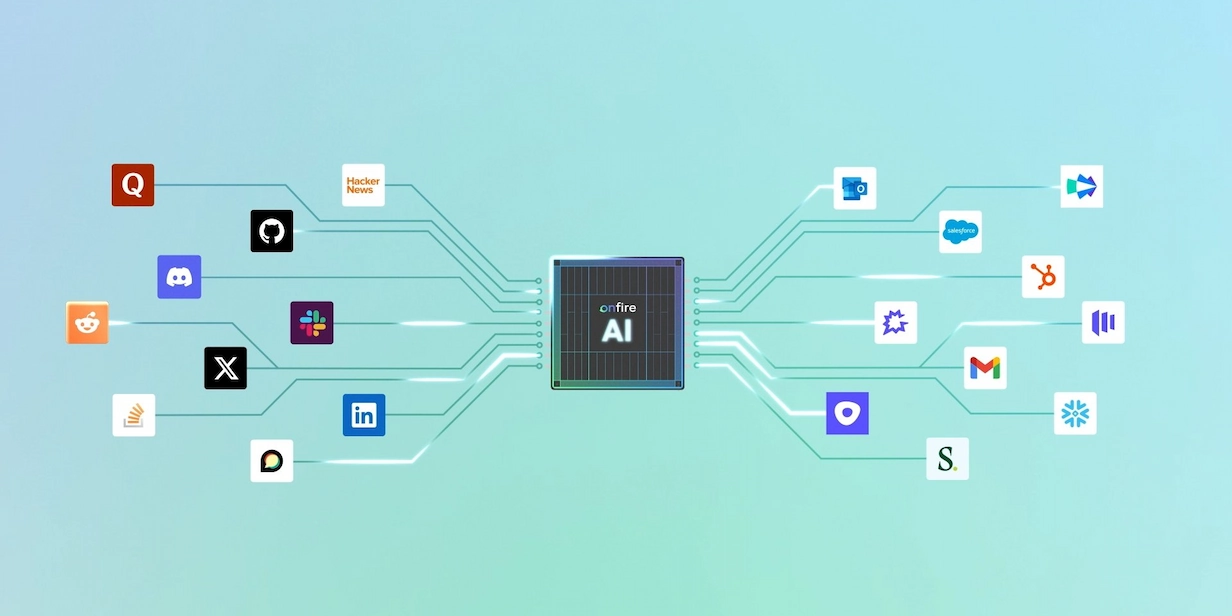
Unlike the tools covered above, Onfire isn’t a point solution. Instead, it collects every type of signal in this article, monitoring the public footprint of 50 million engineers and 100,000+ developer communities. And perhaps most importantly, it stitches everything together so reps see a prioritized list of warm leads, not a data science challenge.
Onfire resolves signals to the person who owns each decision. In the case of large enterprises, it traces the shape of the buying committee so you can multi-thread outreach and make your case to both business and technical stakeholders. And because every sales motion is different, we fine-tune it so it picks up the signals that actually matter for your GTM motion, not just those of a generic company.
Consolidate Your Developer Intent Stack with Onfire
Rather than stitching signals together across tools, consolidate your stack with Onfire. To see how it simplifies your GTM motion, try it out on your own data. Grab time with the team.
FAQs
What are the strongest developer intent signals?
Activity in your own product is the strongest signal out there. After that come repeated package pulls from one company, pull requests or issues on your repos or a competitor's, and job posts that name your category.
Can traditional intent data platforms see GitHub activity?
Mostly not. Publisher-network intent tracks article reading, and review-site intent tracks vendor comparisons. Technographic data built from job posts and web scans shows what a company runs, but not who is testing what. Repo events, registry pulls and terminal activity fall outside all of these sources..
How do I track developer intent across GitHub, Stack Overflow and documentation in one place?
No single point tool covers all three. You'd have to combine a GitHub tracker, a community monitor that covers Stack Exchange, and your docs analytics, then resolve the three into one account. That’s what Onfire does.
Do I need a developer intent platform if I already have product analytics?
Product analytics only see people who reach your docs or product, and anonymous readers stay anonymous. They miss competitor repo activity, hiring, and community discussions, leaving you with significant blind spots.
How do these tools resolve a GitHub handle to a company?
They read profile fields and linked accounts, match commit emails that use corporate domains, and check org memberships. Accuracy varies with how much a developer shares publicly, so look for tools that show the evidence behind each match.
.webp)




%20(1).webp)


















































.webp)