The Non-Beginner’s Guide to Claude for RevOps: Skills, Plugins, Costs
Learn how to improve your GTM efficiency, build your own agent skills, and find the best RevOps plugins, all while controlling your token costs.



Many revenue organizations have gone all-in on Claude. If you’re among them but have the nagging sense that you could be getting more bang for your buck, this guide is for you.
Read on to learn how to improve your GTM efficiency, build your own agent skills, and find the best RevOps plugins, all while controlling your token costs.
The Basics: How Claude Is Helping RevOps Teams
Over 300,000 businesses use Claude, and revenue teams are no laggards. By now (fall of 2026), they’re using it for everything from data cleaning to prospecting. If you’re already using Claude, you’ve probably got a handful of these workflows running. If not, these are the easiest places to start.
Here are some of the most common use cases:
- Ask your CRM questions directly. With a connector to Salesforce or HubSpot, you can skip report building and just ask Claude to map your pipeline by stage, identify deals with no activity in 14 days, or what moved this week and why
- Data hygiene. Whether it’s finding duplicates, flagging missing fields, catching past-due close dates, or normalizing messy job titles and industry values, Claude can help you get a handle on your data
- Reporting. Claude can inspect your deals to forecast roll-ups, do QBR, and put board packs together. It can also explain the endless “why did the number move” questions
- Routing and territories. Have Claude test routing rules against your real leads before they go live, and rebalance your modeling book when someone joins or leaves the team
- Scheduled tasks. These recurring jobs run without anyone prompting them, whether they be Monday stale-deal alerts, weekly pipeline-change digests, or end-of-month hygiene sweeps
One Step Deeper: Implementation Options
There’s A LOT to Claude beyond the basics. Your spend (and results) will vary significantly based on your implementation model.
For starters, there’s different payment models to choose from. You can either get a subscription, in which your team uses Claude in the app, or the API, where you build Claude into your own systems and pay for usage.
Subscriptions
There are four subscription tiers running from individual contributors to enterprises. Here’s how they break down:
- Pro is the individual plan, which costs $17 a month on an annual basis, or $20 billed monthly. Unlike the Free plan, it provides task hand-off and scheduling, Claude Code, Projects, and more models, as well as Claude in Chrome and Microsoft 365
- Max is for individual power users, and it starts at $100 a month. Its two sub-tiers provide either 5x or 20x Pro’s usage, plus priority access during peak traffic
- Team is the sensible choice for most revenue organizations, as it covers teams of 2 to 150 people. The standard tier costs $20 a month billed annually, and a premium seat with 5x usage is $100 a month billed annually. Importantly, you can upgrade seats to premium one-by-one so you don’t end up paying for unneeded compute. Team features include SSO, central billing, admin controls over connectors, usage analytics, and org-wide skills deployment, plus no model training on your content by default
- Enterprise plans charge $20 per seat per month on top of usage charged at API rates, so the final cost depends on your team. The benefits include governance features like admin-set spend limits at the user and org level, fine-grained role-based access, SCIM, audit logs, a Compliance API, custom data retention, IP allowlisting, and a HIPAA-ready option
API
The API payment model is meant for technical workflows. If you’re building enrichment pipelines, lead scoring, or using agents to write into your CRM, it’s the option to consider. Payment is billed per million tokens processed. On current models, Sonnet 5.5 costs $2 input / $10 output, Opus 5.5 $4 / $20, and Haiku 4.5 $1 / $5. For overnight jobs like re-scoring an entire account list, batch processing cuts costs by 50%.
Note that you can also buy directly from Anthropic or from your cloud provider, which can help if procurement has already committed cloud spend or security wants your data to stay within your existing AWS account.
Centralization or decentralization? Our recommendation
Once you’ve chosen your payment model, it’s time for an equally momentous decision: will every rep publish their outputs, or will your RevOps engineer publish shared skills that everyone uses?
In the decentralized model where every rep works however they like, your team can move fast and doesn’t need to ask ops for permission. But you’ll have a hard time controlling quality when everyone does their own thing, to say nothing of the loose permissions that come with letting everyone’s agents write to your CRM. More fundamentally, if each of your ten reps is running on their own definition of “good fit,” then your reporting won’t help you figure out what’s going on across your pipeline.
That’s why we recommend going with centralization. Have a RevOps owner select, build, and curate a collection of approved skills and ship them to your reps as a plugin. And to avoid messing with your CRM, give reps read-only access.
Claude Skills: Advanced Edition
Skills teach Claude to use your systems, and plenty of revenue-relevant skill packs are widely available. Here are some of our 35 recommendations.
What’s already out there
- Anthropic's Sales plugin (GitHub). It handles prospect research, call prep, pipeline review, outreach drafts, and competitive battlecards. It also includes call summaries and forecasting, with connector integrations for HubSpot, Slack, Close, Clay, and ZoomInfo. Anthropic is upfront that these plugins are generic starting points that need customizing to perform well inside a specific organization
- HubSpot's skills (agent-cli-skills). For RevOps, the CLI pack is the useful one. Its crm-data-quality skill finds incomplete records, standardizes field values in bulk, merges duplicates, and audits custom properties, running a dry run and asking for confirmation before anything changes. Sales-reporting and deal-management cover pipeline snapshots, stalled deals, and bulk reassignment
- Community RevOps libraries. Corey Haines's revops skill is the most widely installed. It covers lifecycle stage definitions with entry and exit criteria, fit-plus-engagement lead scoring, routing methods with SLA enforcement, pipeline hygiene and stale-deal detection, and dedup and enrichment strategies
Onfire’s skills for RevOps
Most of the agent skills we built were made with prospecting in mind, but three cover classic RevOps needs:
- match-company and match-person. These resolve a company or person to a verified LinkedIn identity before any prospecting or enrichment happens. The idea is to stop creating duplicates instead of having to clean them up after the fact, so "Acme Inc," "ACME," and "acme.io" become one verified company before anyone writes to the CRM
- contact-data-enrichment. It adds verified emails and phone numbers, up to 20 contacts per call, and for batches over ten it shows the exact credit cost and waits for approval
- poc-intelligence. It produces a tenant-wide report on pipeline, win rate, deal velocity, stalled deals, and win/loss without assuming your CRM's field names
How to build your own skills
As any RevOps engineer will tell you, off-the-shelf skills might get you 70% of the way there, but the last 30% is up to you. To ensure that your stages, your fields, and your ICP are reflected in the skills you run, build your own. Here’s how:
- Pick one job you repeat every week. This might be the weekly stale-deal sweep, the pre-QBR data check, or the new-lead routing test
- Write the description first. The description you write at the top of the SKILL.md file is what Claude reads to decide when to use the skill, so say exactly when it applies ("Use when asked to review pipeline hygiene or find stale opportunities in Salesforce")
- Encode your definitions, not generic ones. Name the actual fields, picklist values, and stage criteria. Put long reference material, like your ICP doc or stage definitions, in separate files the skill points to, so it only loads them when needed
- Build in guardrails for writes. Borrow HubSpot's pattern: dry run first, show what will change, wait for confirmation. Set a batch limit and spell out which fields the skill should never touch (amount, owner, close date)
- Test it on real records. Run it on last month's pipeline and compare the output with what your team actually did. Your most skeptical rep will give you the highest-quality review
- Ship it. On Team and Enterprise plans, deploy it org-wide so every rep gets the same version. If it needs a connector, bundle both into a plugin
Getting the Most Out of Plugins and MCPs
A plugin bundles skills, connectors and commands in one file your reps can easily download and use. At time of writing (October 2026), there are dozens of plugins that RevOps teams use to automate tasks, including:
- HubSpot: Lets Claude search, create, and update contacts, companies, and deals, so reps can query pipeline and log activity without leaving the chat
- Salesforce: Gives Claude access to accounts, opportunities, and reports under each user's existing permissions, making it the backbone for hygiene, forecasting, and pipeline questions
- Slack: Pulls deal-room discussions and account mentions into Claude's context, and lets scheduled tasks post alerts and digests to channels
- Google Drive: Gives Claude access to the docs teams work from (territory plans, comp sheets, QBR decks) so answers reflect internal context, not just CRM fields
- Notion: Connects Claude to playbooks, deal notes, and process documentation, and lets it write meeting prep and summaries back to your workspace
- Onfire: Feeds Onfire’s revenue intelligence, including technographics, firmographics, and champions, as well as your CRM data, to Claude
How to Reduce Token Costs
AI agents are famously token-hungry, and RevOps sequences can get expensive fast. (Our token calculator can help you estimate your spend.) Yet there are many ways to reduce your spend. For instance, tokens get burned by big CRM pulls and agent loops, so if you filter in the CRM query and aggregate in code, you can make a big dent in your overall usage.
Another best practice is to use smaller models for caching. That way, you don’t burn tokens by searching from scratch each time you need information. And by sourcing revenue intelligence from Onfire, you can prevent the sort of long research cycles that really make a dent in your budget.
Finally, a few points of AI hygiene: keep skills as short as possible so you don’t end up paying for tasks you never even needed in the first place, start fresh sessions whenever you start a new task, and schedule sensibly to make use of batch processing whenever possible.
The Limitations of Claude for RevOps
Even though everyone’s familiar with the shortcomings of AI, it can still be surprising when an agent lets you down. To keep Claude honest, make sure that numbers should come from code or CRM reports. And to make sure you can trace each claim to evidence, rather than guesstimates, keep your CRM the system of record. Without that, your reports will start to drift fast.
One common reason why Claude can fail to get RevOps tasks right is that record limits and large exports can lead to partial reads. Double-check by asking Claude what it read to ensure that its answers are grounded in the whole source of truth, not a fraction of it.
Additionally, you can’t assume that Claude uses the same definitions you do. If you want Claude to speak your company’s language, you need to write down your definitions explicitly. It’s also worth revisiting this from time to time to make sure answers don’t drift between runs.
And if you’re considering giving Claude write access, make sure you go through a read-only phase first and have an AI skeptic on your team review the outcomes. Even if Claude passes that test, don’t hand everything off right away. Instead, keep a human in the loop to review anything before it reaches your CRM.
Give Claude the Revenue Intel it Needs With Onfire
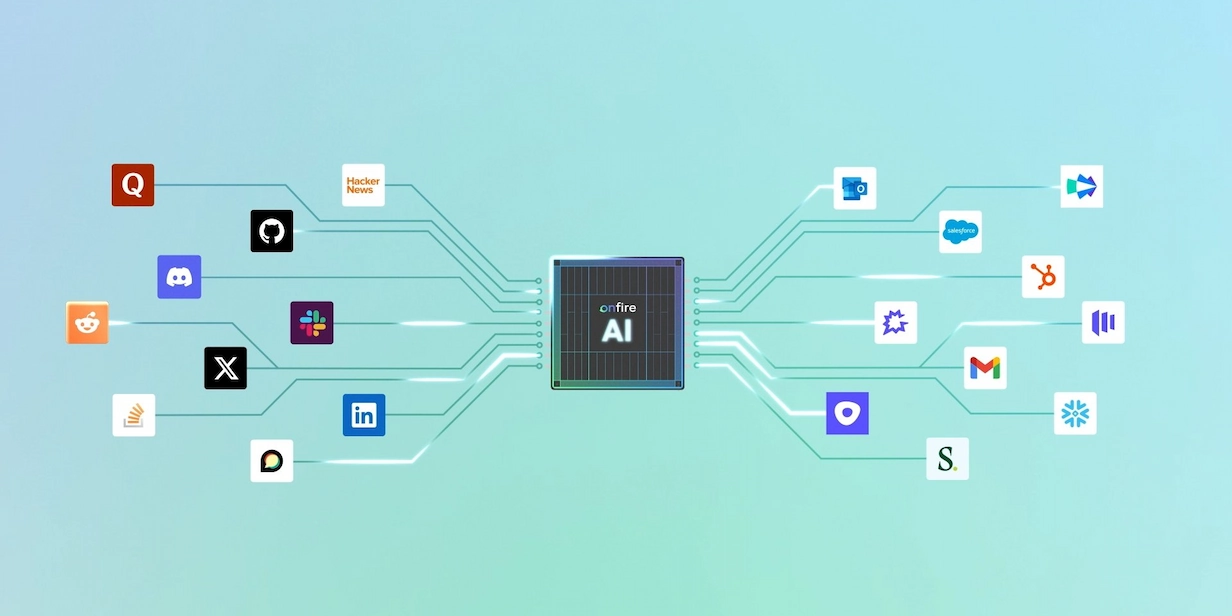
Ultimately, Claude is only as good as the data you give it. For the deep tech insights and engineering conversations that never reach the public web, AI agents can only guesstimate. Onfire, however, has evidence. See how connecting Onfire and Claude can accelerate your revenue operations. Grab time with the team
FAQs
What can RevOps teams use Claude for?
The most common uses are querying your CRM in plain language, cleaning data (deduplication, missing fields, title normalization), building forecasts and QBR reports, testing routing rules and rebalancing territories, and running scheduled tasks like stale-deal alerts and weekly pipeline digests.
Should we use a Claude subscription or the API?
A subscription suits teams working in the Claude app day to day. The API is for technical workflows where Claude is built into your own systems, such as enrichment pipelines, lead scoring, or agents that write to your CRM. API usage is billed per million tokens, and batch processing cuts costs by 50% for jobs that can run overnight.
Should every rep build their own Claude workflows, or should RevOps own them?
We recommend centralizing. When every rep works differently, quality is hard to control, CRM permissions get loose, and reports stop being comparable because each rep defines “good fit” differently. Instead, have a RevOps owner build and curate approved skills, ship them to reps as a plugin, and give reps read-only CRM access.
How do I build a custom Claude skill for RevOps?
Pick one task you repeat every week, then write the skill’s description first, since that is what Claude reads to decide when to use it. Encode your actual fields, picklist values, and stage definitions, and keep long reference docs in separate files. Add guardrails for any writes (dry run, confirmation, batch limits, protected fields), test on last month’s pipeline, and deploy org-wide once it holds up.
How can I reduce Claude token costs for RevOps work?
Filter data in the CRM query and aggregate in code rather than pulling large exports into Claude. Keep skills short, start a fresh session for each new task, and schedule recurring jobs to take advantage of batch pricing. Sourcing account intelligence from a dedicated provider like Onfire also avoids long, token-heavy research loops.
Is it safe to give Claude write access to our CRM?
Not right away. Start with a read-only phase and have a skeptic on your team review the outputs. Even once Claude passes that test, keep a human in the loop to approve changes before they reach your CRM
.webp)











%20(1).webp)

















































.webp)